
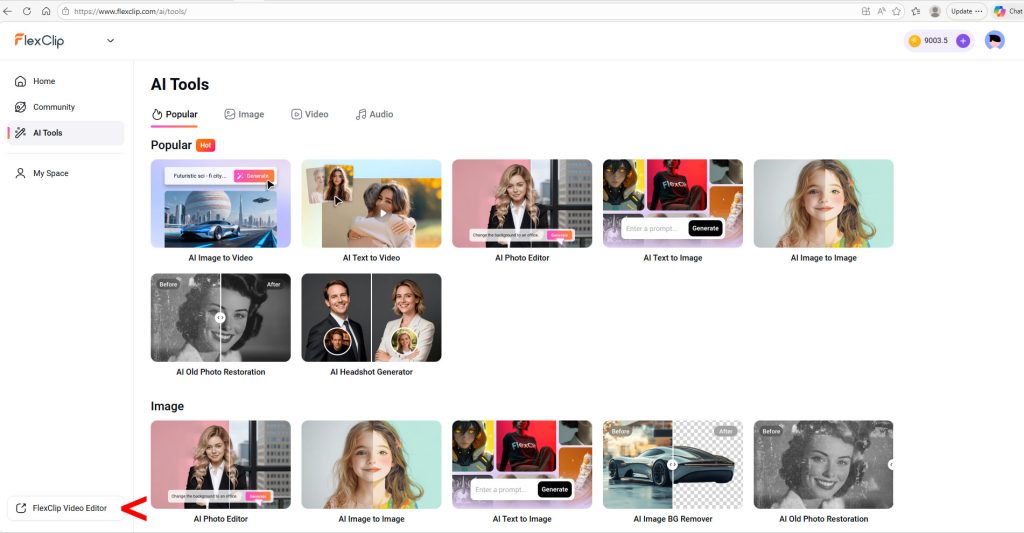
AI video generation is evolving rapidly—but it’s also fragmented, inconsistent, and often difficult to evaluate. FlexClip aims to solve that problem by bringing multiple leading models, editing tools, and creative workflows into a single platform.
After hands-on testing, FlexClip stands out as a versatile, accessible AI video and content creation platform—with one key differentiator: it makes experimentation fast and practical.
What FlexClip Does
FlexClip combines:
- AI video generation (multiple models)
- Video editing and templating
- AI image generation and editing
- Audio and voice tools
All within a unified interface that lets users move easily between tools and the main video editor.
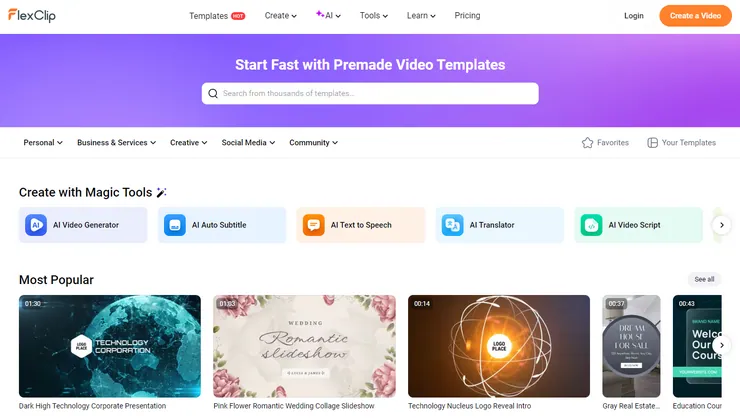
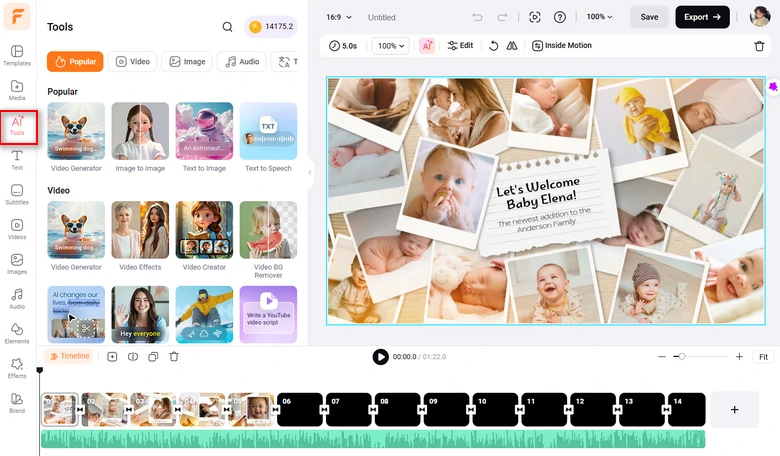
The platform highlights popular use cases—like text-to-video, image-to-video, headshots, and image effects—making it easy for new users to get started quickly.
Real-World Test: One Prompt, Multiple Models
To evaluate FlexClip’s AI video capabilities, I tested a single detailed prompt across several models. Here’s the video prompt I used:
Cinematography: Drone camera that follows the action from above and behind Nacho.
Subject: Nacho the Corgi, see the photos I uploaded. He is wearing a pale blue Minnesota United FC Loons soccer jersey.
Action: Nacho is sitting on the sideline next to the coach. You can’t see the coach’s face as the drone camera is slightly above and behind them. A player comes off the pitch and Nacho is sent running on. He receives a pass, then deftly moves the soccer ball down the field using his nose and front paws. He scores a goal and is congratulated by his teammates. The drone camera follows all of this action.
Context: The inside of the Loon’s stadium, Alliant Field, at night under the stadium lights. The stands are full of fans.
Style & Ambiance: Almost photo-realistic, a cross between actual photography and very high-end animation.
Audio: The dull murmur of the crowd in the background, which rises to a loud cheer as Nacho scores. The entire clip is animated by a voice that sounds much like legendary actor John Houseman. The narrator script is: “Nacho finally got the chance he’d always dreamed of. Taking a pass from a Loons teammate, Nacho deftly pushed the ball down the field, until…goallll!”
FlexClip supports a wide range of models (Sora, Veo, Kling, Grok, and others). Here’s a look at how four popular models did with this prompt.
Kling 3.0 — A Mess
Kling didn’t follow the prompt for the opening scene, didn’t have the jersey on Nacho, didn’t get the physics of scoring a soccer goal right at all (Nacho somehow scored from behind the goal net), and the sound didn’t work.
Google Veo 3.1 — A Surprise Disappointment
The jersey isn’t there and then it is, the physics are all wrong (again, the ball somehow passes through the side of the net…sort of), one of the human soccer players uses his hands (can’t do that in soccer), the narrator’s voice is wrong, and the narration cuts off too soon. A large sign identifies the stadium as “Alliant Fied,” and the team’s sponsor, according to the sideline walls surrounding the field is…”Eboms”? Also, the closing image is just creepy.
Grok Imagine — A Step Up
Grok Imagine was slightly better than Kling or Veo. The jersey still wasn’t quite right, the physics were off (the ball appeared to pass through the side of the net), and the narrator’s age and accent were wrong. But the image quality was good and the sound worked.
OpenAI Sora 2 Pro — The Champion
This was the clear winner, if still flawed. The jersey was perfect, image quality was solid, and the physics of scoring the goal were right. However, the narrator still had the wrong age and accent, and the audio cut out before the announcer could scream “Goallll!”
Grading the Model Comparison Results
Here’s a summary of how key models performed:
| Model | Grade | Key Observations |
|---|---|---|
| Kling 3.0 | F | Poor prompt adherence, missing jersey, broken physics, no audio |
| Google Veo 3.1 | F | Inconsistent visuals, physics errors, incorrect details |
| Grok Imagine | D | Good visuals, but inconsistent details and incorrect narration |
| OpenAI Sora 2 Pro | B | Best overall: accurate visuals and physics, minor audio issues |
Key Takeaway
Performance varies significantly across models. However, this is not a FlexClip limitation—it reflects the current state of AI video models. FlexClip’s advantage is that it allows users to:
- Quickly test multiple models
- Compare outputs in one place
- Iterate on prompts efficiently
This reduces friction and accelerates content production.
Additional Capabilities
Beyond video, FlexClip includes a wide range of AI image tools using models such as:
- Google Imagen
- OpenAI GPT Image
- Bytedance Seedream
- Flux and Hunyuan
- Grok Imagine Image
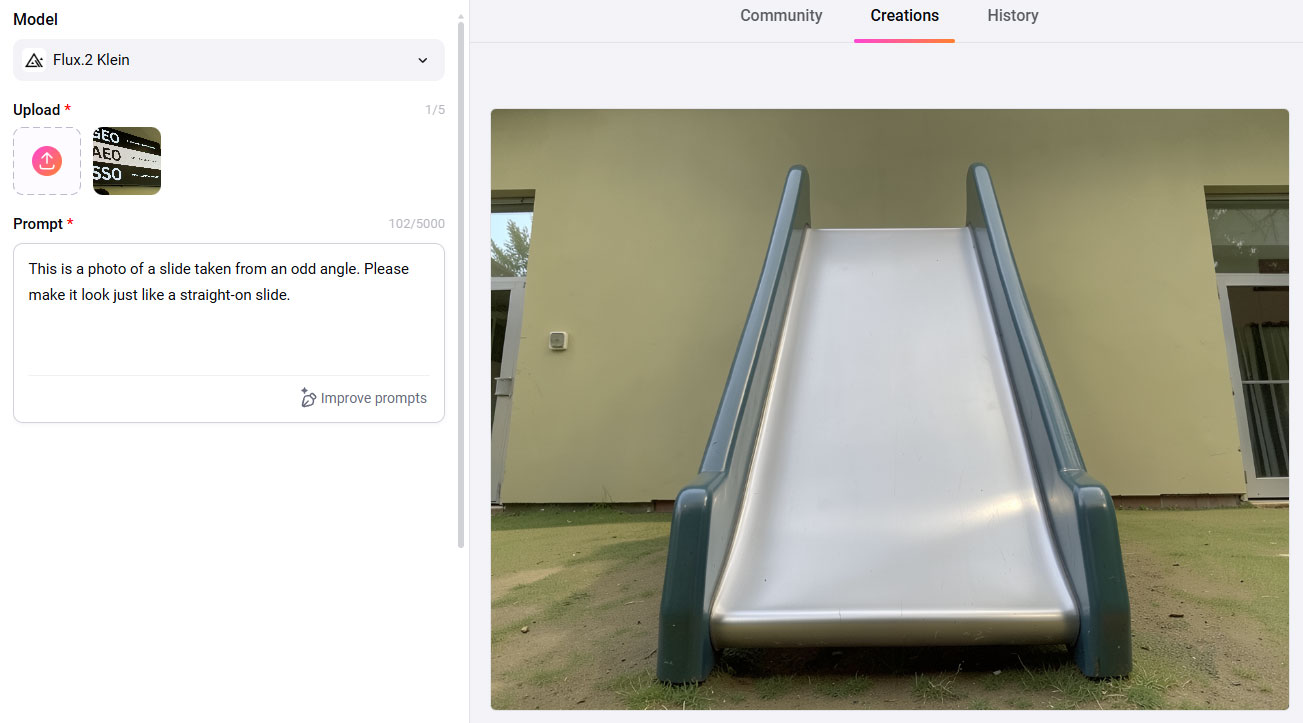
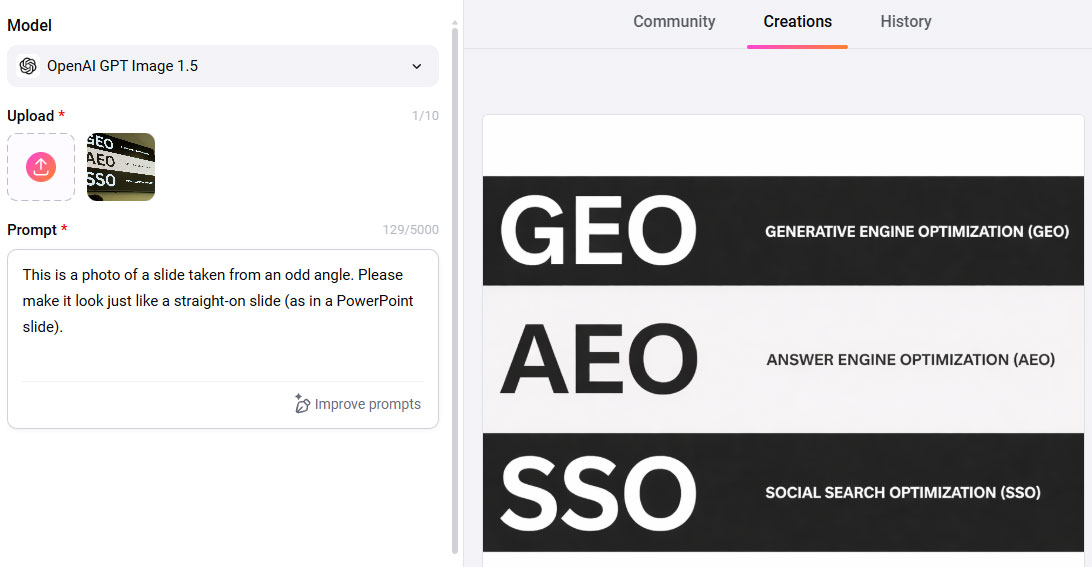
As with video, results vary by model, making experimentation essential. As with the video tools, I tested a few of the image tools by uploading the image below and then providing three different image models with a simple prompt.
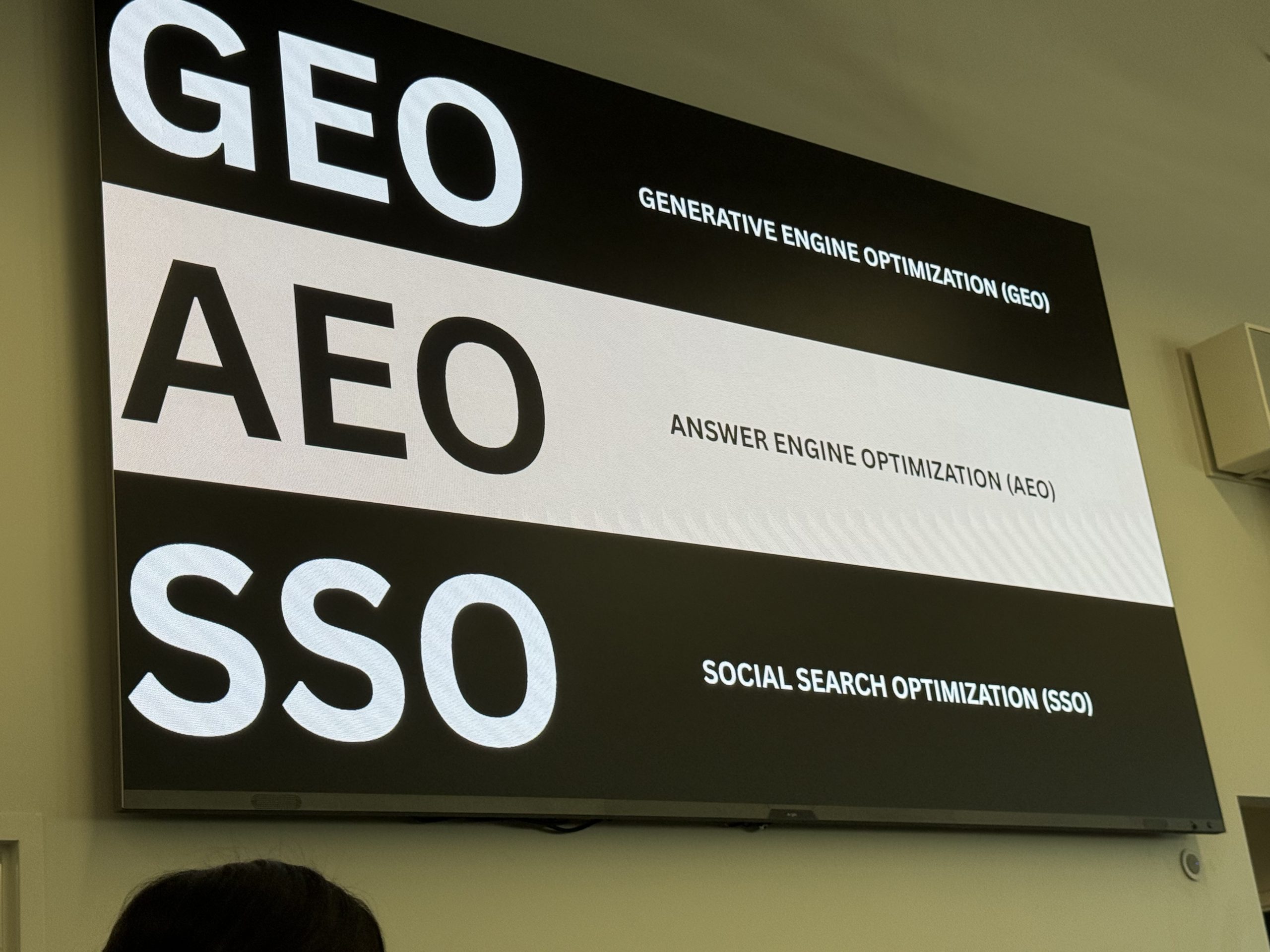
The prompt was: “This is a photo of a slide taken from an odd angle. Please make it look just like a straight-on slide.”
The Flux.2 Klein model took my prompt a bit too literally. I guess, in a way, it produced exactly what I asked for.
Google’s Nano Banana completely missed the ask. It just provided a slightly clearer version of the original, odd-angle photo. But OpenAI’s GPT Image 1 (with a clarified prompt) nailed it.
Ease of Use
FlexClip is designed to be accessible:
- Intuitive interface
- Clear tool organization
- Extensive tutorial library
While not entirely “no learning curve,” most users can become productive quickly. The primary challenge lies in prompt design and model selection, not platform usability.
Pricing
As of March 2026:
- Free plan: limited features
- Plus plan: affordable for individuals at $11.99 per mont
- Business plan: expanded capabilities and higher limits at $19.99 per month
Pricing is competitive and generally lower than many specialized AI video platforms.
Pros
- Wide range of AI video and image models
- Unified platform for creation and editing
- Easy comparison across models
- Strong value at paid tiers
- Beginner-friendly interface
Cons
- AI video quality varies by model
- Requires experimentation to achieve optimal results
- Free plan is limited
Best For
FlexClip is ideal for:
- Marketers and content teams
- Agencies producing social and promotional content
- Creators exploring AI video
Less suited for:
- >Advanced video professionals seeking deep control over a single model
- High-end production environments requiring precision output
Final Verdict
FlexClip delivers a compelling combination of breadth, usability, and value. Rather than attempting to perfect AI video generation, it focuses on making it practical—giving users the ability to test, compare, and refine outputs quickly.
For most marketing and creative use cases, that’s exactly what’s needed. And while results may vary depending on the model, one thing is consistent: FlexClip makes it easier to turn ideas—even ambitious ones involving a goal-scoring corgi—into working video content.
ChatGPT assisted with drafting this post based on real human review experience and notes.